


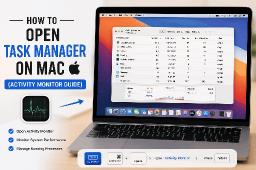
When you are using macOS after using Windows, you might feel a little bit confused with its structure and functioning. So, if you are curious to know how to open task managed on Mac, you can easily use this guide to learn the same.
When compared to Windows, macOS does not have a dedicated application named Task Manager. In place of a Task Manager, a Mac has a negative utility tool named ‘Activity Monitor’, which performs the same functions as a Task Manager. So, you can use the instructions that we are giving here to learn how you can access it.
This method inarguably provides the fastest solution to open the Activity Monitor.
The user needs to press Command () and Spacebar together and then needs to type Activity Monitor before pressing Enter.
In case you are not using the Spotlight search feature, you can also locate the application through a manual search. The user needs to open Finder and then proceed to Applications and choose Utilities before double-clicking Activity Monitor.
The user needs to open Launchpad and then search for Activity Monitor before clicking the application icon.
The Activity Monitor is the task manager mac and displays multiple tabs which show how Mac system resources work.
The task Manager allows people to force quit an application on Windows; however, the Mac operating system provides a feature that lets users close unresponsive applications through the process of the "End Task" command. The user needs to press Command (), Option, and Escape together. The user then must choose the unresponsive application before clicking Force Quit.
You can also use the website Datarecovee to learn more about the Activity Monitor.
| No comments yet. Be the first. |
