


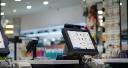
Running a business smoothly depends on having the right tools in place. Point of sale systems help shops, restaurants, cafes, salons, and many other businesses handle daily sales in a simple and organized way.
A modern POS system does much more than process payments. It can track products, manage stock, record customer orders, create sales reports, and help staff work faster. Choosing the right system can save time, reduce mistakes, and give business owners a clearer view of their daily performance.
Point of sale systems are tools used to complete sales transactions. They usually combine hardware and software to record orders, calculate totals, accept payments, and print or send receipts.
Older checkout systems were mainly used as cash registers. Modern systems offer many more features and can connect different parts of a business.
A typical setup may include:
Some businesses use simple setups, while larger companies may need several terminals connected to the same system.
When a customer buys a product, the staff member selects or scans the item.
The system automatically adds the price, calculates tax or discounts, and shows the final amount. Once payment is completed, the sale is recorded and the stock level can be updated automatically.
This makes checkout faster and reduces the need for manual calculations.
Good point of sale systems can make everyday tasks easier for both owners and employees.
Speed is important during busy hours. A POS system allows staff to quickly scan products or select menu items instead of entering prices manually.
Faster service can reduce queues and improve the customer experience.
Inventory management is one of the most useful features of modern POS software.
Businesses can monitor which products are selling, which items are running low, and when new stock may be needed.
This can help reduce both overstocking and product shortages.
Manual records can lead to mistakes.
A POS system records each transaction automatically, making it easier to check daily, weekly, or monthly sales.
Reports may include:
These reports can help owners make better business decisions.
Some systems allow each employee to have their own login.
Business owners can control permissions, track working activity, and see which staff members completed certain transactions.
This is especially useful for businesses with several employees or multiple branches.
For more useful information, you can also pos ireland designed to improve everyday operations.
Not every system is suitable for every business. Before making a decision, think about how your business works and which features are most important.
A retail store may need barcode scanning and strong inventory tools.
A restaurant may need table management, kitchen orders, takeaway options, and menu customization.
A salon may need booking and customer management features.
Choosing software designed around your business type can make daily work easier.
A good system should be easy for staff to learn.
Complicated software can slow down service and create unnecessary mistakes. Look for a clean interface with simple menus and clear buttons.
Reports are valuable because they show how the business is performing.
Look for a system that provides clear information about sales, payments, products, stock, and expenses.
Your business may grow over time.
Choose a system that can support extra users, products, locations, or terminals if needed.
The main purpose is to process sales and payments. Modern systems can also manage stock, customers, reports, employees, and other business tasks.
Yes. Small businesses can benefit from faster checkout, better sales records, and easier inventory management.
Some systems offer offline features, but this depends on the software. Certain functions, such as online payments or cloud syncing, may require an internet connection.
Yes. Many modern systems automatically reduce stock levels after each sale and can provide low-stock alerts.
Common hardware includes a computer or touchscreen, receipt printer, barcode scanner, cash drawer, and payment terminal. The exact setup depends on the business.
Point of sale systems can help businesses improve speed, accuracy, and control over daily operations.
The right system can handle payments, manage inventory, create useful reports, and make work easier for staff. Before choosing one, consider your business type, required features, ease of use, reporting tools, and future growth.
A reliable POS setup is more than a checkout tool. It can become an important part of managing a modern business efficiently.
Explore our related business solutions to find more tools that can support smoother daily operations.