


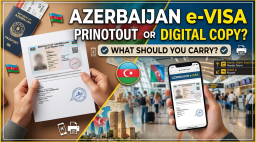
Travelers visiting Azerbaijan should prepare their visa documents before departure. After receiving an approved electronic visa, many visitors wonder whether they need a printed copy or can simply show the document on their phone. Keeping the necessary documents ready can help reduce confusion during airline check-in and entry checks. Knowing how to prepare your Azerbaijan Visa before traveling can make the process more convenient.
Is a Printed Azerbaijan eVisa Necessary?
An Azerbaijan eVisa is an electronic travel authorization issued to eligible foreign travelers. Once approved, the visa is available digitally and can be downloaded for reference. Carrying a printed copy is a useful precaution, even when you have the document saved on your phone.
A printout allows you to show your visa details if your phone battery runs out or you cannot access the saved file. It can also be helpful if airline staff or immigration officers request a paper copy. Check the latest travel instructions before departure to confirm the document presentation requirements that apply to your journey.
Can You Use a Digital Copy of Your Azerbaijan e Visa?
A digital copy of your Azerbaijan e Visa is convenient because you can access it directly from your phone. Download the approved visa as a PDF and save it offline so you do not need an internet connection to open it. You can also keep a secure backup on another device or in cloud storage.
However, it is better not to rely entirely on your phone. Technical problems, low battery power, or difficulties opening the file could delay document checks. Carrying both a printed copy and an offline digital version gives you an alternative if one format is unavailable.
Documents to Carry Along with Your Azerbaijan Visa
Your approved Azerbaijan Visa is an important travel document, but you may also need other information during your journey. Prepare these documents before leaving:
Keeping these documents organized makes it easier to find the information you need during check-in and arrival procedures.
How to Prepare Your Azerbaijan eVisa Before Departure
Once your Azerbaijan eVisa is approved, review the document carefully. Check your name, passport number, visa validity dates, and other details for accuracy. If you find any errors, contact the appropriate visa authority for guidance before traveling.
Download the approved visa and print a clear copy. Ensure that the text and reference details are readable. Store the printout with your passport and save the digital file in a folder that is easy to access on your phone.
Also, confirm that your visa is valid for your intended travel dates and that you meet the applicable entry conditions. Having an approved visa does not automatically guarantee admission, as border authorities may check other entry requirements.
Should You Carry a Printout or Digital Copy?
Carrying both formats is a practical choice for most travelers. A printed Azerbaijan e Visa provides a backup if your phone is unavailable, while a digital copy makes it easy to retrieve the document when needed. Using both reduces the chance of being unprepared if a document check requires a different format.
Before departure, review the latest visa instructions and entry requirements for your nationality. Keep your passport, approved visa, and supporting travel documents ready so you can access them whenever necessary.
| No comments yet. Be the first. |


